Why Your WhatsApp Business Number Getting Blocked (And the Fix Most Businesses Never Try)
Blog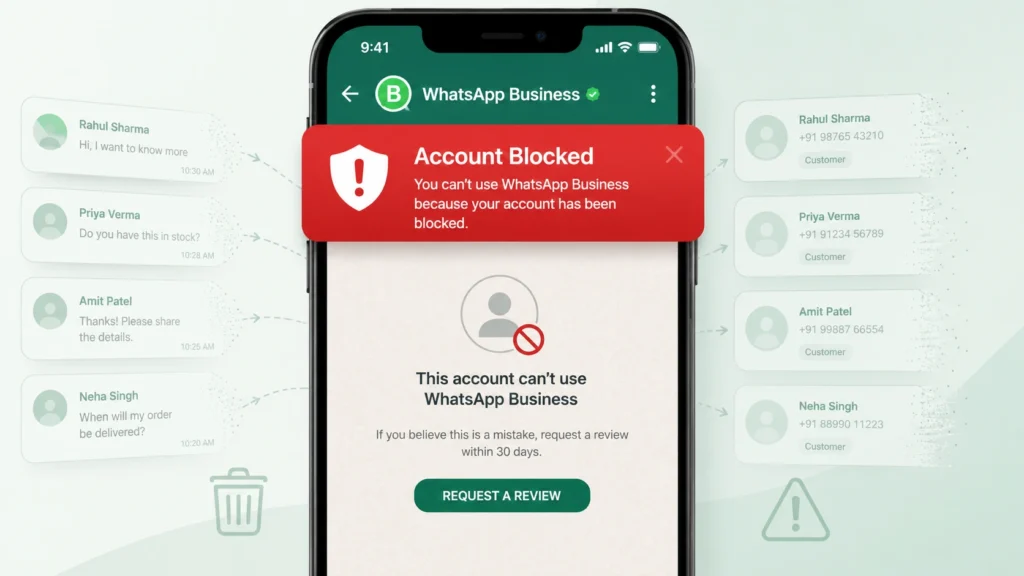
Table of Contents
A Weekend of Work, Gone by Monday Afternoon
Picture this, a shop owner spends an entire weekend building out a WhatsApp campaign – fresh offers, messages tailored to different customer groups, everything polished and ready to go. Monday morning, he hits send. By Monday afternoon, WhatsApp Business Number Getting Blocked. Not just restricted but blocked. Three years of customer chats, saved contacts, and order history, all inaccessible in a single afternoon.
He assumed it was a technical glitch. It wasn’t. He’d simply followed the same playbook thousands of businesses use every week, without realizing what that playbook actually costs.
In 2025 alone, Meta removed more than 6.8 million WhatsApp accounts. The overwhelming majority weren’t spammers; they were ordinary businesses that never learned how WhatsApp actually polices bulk messaging. If you’re sending, or planning to send, bulk WhatsApp messages to customers, this is worth five minutes before you send another one.
What Actually Gets a Business Number Blocked
WhatsApp wasn’t built with businesses in mind. It started as a way for friends and family to talk, and even now that Meta has added commercial features, the platform still polices business accounts closely. Its systems watch account behavior constantly and react fast the moment something looks off.
People didn’t ask to hear from you
The moment a stranger receives a message from an unfamiliar business number, WhatsApp puts a “Block” button front and center. It doesn’t take a flood of blocks to trigger a review even a small fraction of recipients tapping that button is enough to get an account flagged within hours.
You’re using software Meta never approved
Plenty of businesses go looking for a shortcut: browser extensions, modified apps, third-party senders promising thousands of messages in minutes. These tools work for a while, then Meta’s detection systems catch up. When they do, the ban that follows is rarely reversible, no matter how the appeal is worded.
Too many people are reporting you as spam
Cross the 2–3% spam-report threshold and your account’s quality rating takes an immediate hit. That drop shrinks how many people you’re allowed to message each day, and if it continues, the account can be restricted outright.
A brand-new number is sending like a veteran one
A fresh business number blasting out thousands of messages on day one looks suspicious no matter how genuine the content is. Meta’s systems read the pattern, not the intent. New numbers need to earn trust gradually.
Why the Free WhatsApp Business App Runs Out of Road
Most businesses start with the free WhatsApp Business app, and for a brand-new operation, that’s a reasonable place to begin. The problem is that the app was never built for bulk messaging, and its ceiling is fixed.
Broadcasts through the app cap out at 256 recipients per send — a limit you cannot raise through any setting or workaround. On top of that, a broadcast only reaches people who have already saved your number in their own phone. Anyone who’s messaged you but never added you as a contact simply never sees it.
For a business trying to reach hundreds or thousands of customers consistently, that ceiling gets hit fast. The instinctive next move is to search for a workaround, which is exactly how so many businesses end up trading a permanent number for a temporary shortcut. There’s a better path, and we’ll get to it.
Reading Your Account’s Health Score
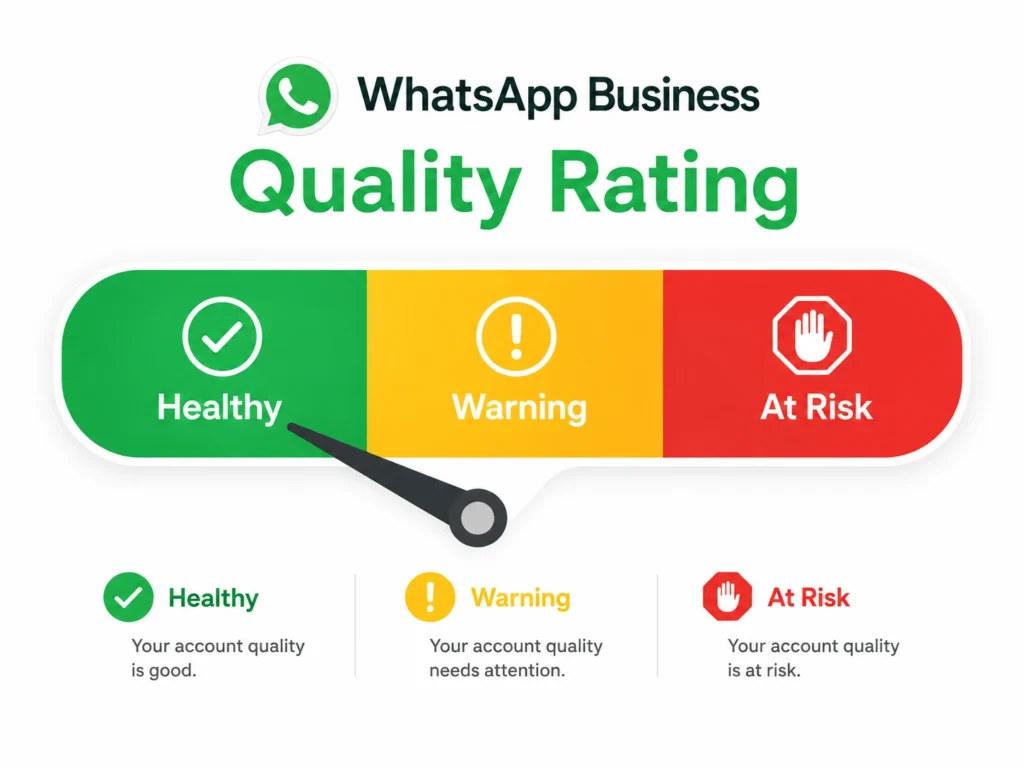
Every WhatsApp Business account carries what Meta calls a Quality Rating: essentially a running health check based on how people respond to your messages.
- Green — your messages are landing well. Recipients are opening and replying, and few are blocking you.
- Yellow — a warning sign. A meaningful share of recipients are blocking or reporting you, and if the pattern continues, your standing will keep sliding.
- Red — your account is at risk. Daily sending limits shrink at this stage, and staying here can lead to a full suspension.
This score is recalculated on a rolling 7-day basis, and there’s one habit that keeps it green more reliably than anything else: only message people who actually want to hear from you.
How Daily Sending Limits Actually Work
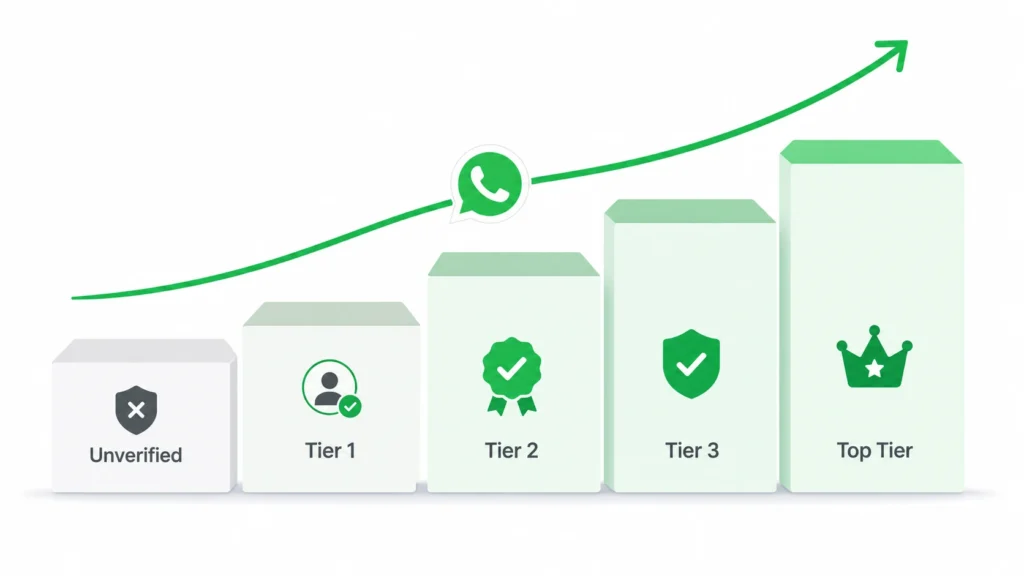
Businesses using the official WhatsApp Business API are placed into a messaging tier, and that tier decides how many unique people you can contact per day. As of 2026, it breaks down like this:
| Account Status | Daily Reach (unique contacts) |
| Unverified | 250 |
| Tier 1 (after Business Verification) | 1000 |
| Tier 2 | 10000 |
| Tier 3 | 100000 |
| Top Tier | unlimited |
One recent change worth knowing: Meta now re-evaluates eligibility for the next tier every 6 hours instead of waiting on a longer cycle, so businesses with a clean quality rating and steady volume can climb the ladder noticeably faster than they used to.
It’s also worth noting these caps apply to unique recipients, not total messages sent. Messaging the same customer two or three times in a day doesn’t touch your daily limit – only new people you reach for the first time count against it.
Six Habits That Keep a WhatsApp Number Safe
- Message only people who opted in. Whether someone signed up through a website form, checked a box, or messaged you first, consent is the rule that matters most. Buying a contact list or messaging cold numbers is one of the fastest routes to a ban.
- Skip every unofficial sending tool. Third-party senders and browser extensions get caught eventually, and the resulting bans are almost never reversible. The official API is the only route worth taking.
- Send through pre-approved templates. The official API requires Meta to review and approve message templates before they go out, meaning the content has already cleared a spam filter before your customer ever sees it.
- Ramp up gradually on new numbers. Start with small batches and scale up over weeks, not days. Steady, predictable sending builds trust with Meta’s systems faster than any shortcut.
- Make opting out effortless. A simple “Reply STOP to unsubscribe” line at the end of a message noticeably lowers block rates, and for marketing messages, it’s a requirement, not a suggestion.
- Keep an eye on your quality score. Since it’s recalculated weekly, checking in regularly lets you catch a slide from green to yellow before it turns red.
The Actual Fix: The Official WhatsApp Business API
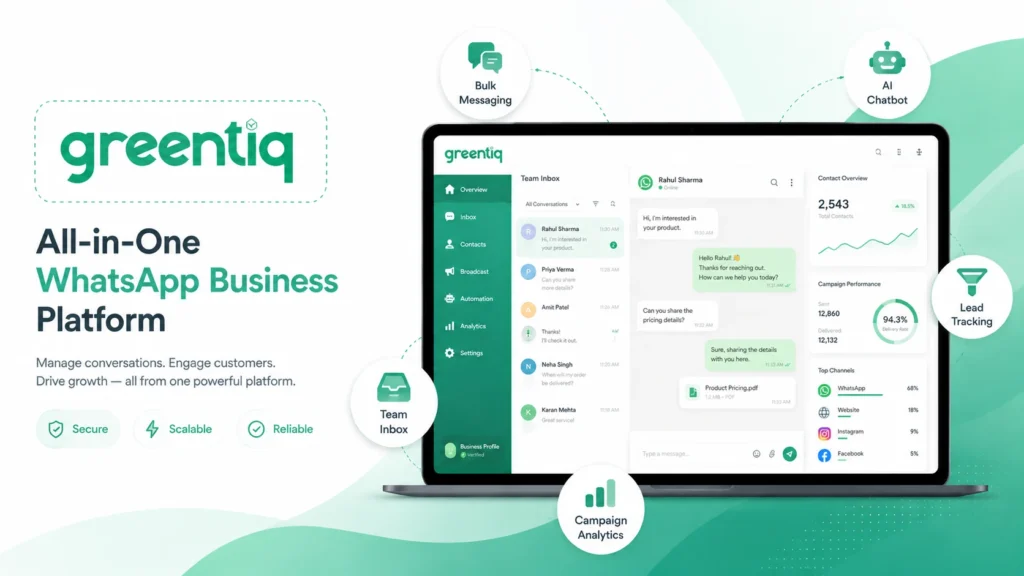
Every point above leads to the same conclusion: the Official WhatsApp Business API is the only setup built to handle bulk messaging at scale without gambling your number.
With it, messages arrive from a verified business identity that customers are more inclined to trust and open. You can reach thousands of people a day well within Meta’s rules, with Meta actively supporting accounts that use the API correctly rather than treating them as a detection target. It also unlocks automation, chatbot support, analytics, and CRM integrations that the free app was never designed to offer.
This isn’t reserved for large enterprises anymore. A neighborhood store, a coaching institute, a clinic, or a real estate agency can run on the API without hiring a developer or writing a line of code.
At Greentiq, this entire setup – bulk messaging, AI chatbots, lead tracking, a shared team inbox, and campaign analytics comes built into one dashboard, with a setup process that doesn’t require any technical background.
The Takeaway
Losing a WhatsApp number costs more than the inconvenience of setting up a new one. Years of customer conversations, saved contacts, and chat history can vanish in minutes, and a permanently banned number almost never comes back.
Staying safe isn’t complicated: use the official API, message only people who’ve opted in, follow Meta’s guidelines, and keep sending things your audience actually wants to read. Get that right, and reaching your customers becomes the easy part.
Want to run bulk WhatsApp campaigns the safe way? Get a free demo with Greentiq at greentiq.com.